Chapter 1 · concept 2 of 4 · show all
2Tokens, cost and your first RAG
4Chunking
- 4.1Why we chunk, and the main chunking strategies
- 4.2Structure aware chunking and tables
- 4.3Chunk size, overlap and token based sizing
- 4.4Contextual chunking and late chunking
- 4.5Parent child and multi representation indexing
- 4.6Chunk metadata, provenance and the chunking debugging playbook
- Chapter overview
7Finding the right chunks
8When retrieval fails
What RAG is: anatomy of a request
One question followed step by step through a RAG system, from the typed words to a cited answer, with what each step costs.
A real question
What actually happens between typing a question and getting an answer?
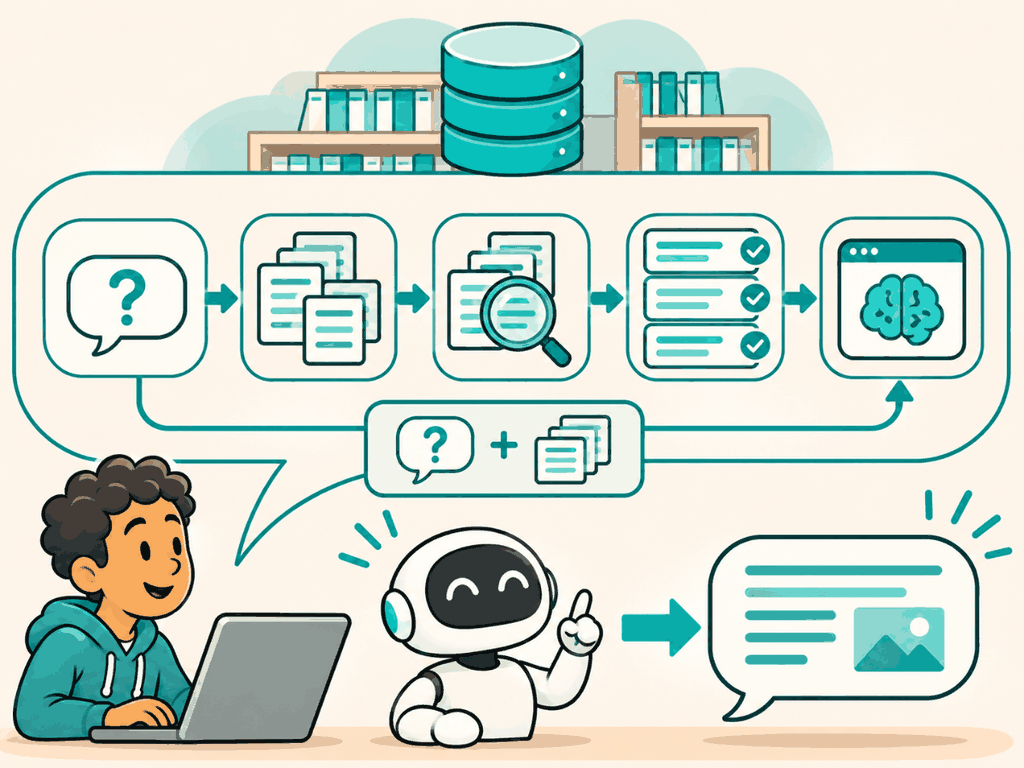
Four steps: the question becomes numbers, search finds the best pieces of your documents, those pieces are packed into a prompt, and the model answers from them.
The problem
Why this matters
Why not the simpler way
The simple picture of RAG is "search, then ask the model". That hides the steps where things go wrong. A wrong answer can come from the question being embedded badly, the search missing the passage, the prompt dropping it, or the model ignoring it. If you know each step, you know where to look.
The idea
The idea in plain words
Retrieval augmented generation answers a question in two moves: first retrieve the passages that are most likely to contain the answer, then generate an answer from those passages only, with citations.
It is an open book exam. The student still has to understand the question and write the answer, but the facts come from the pages they look up, and they can say which page.
How it works
Step by step
 1
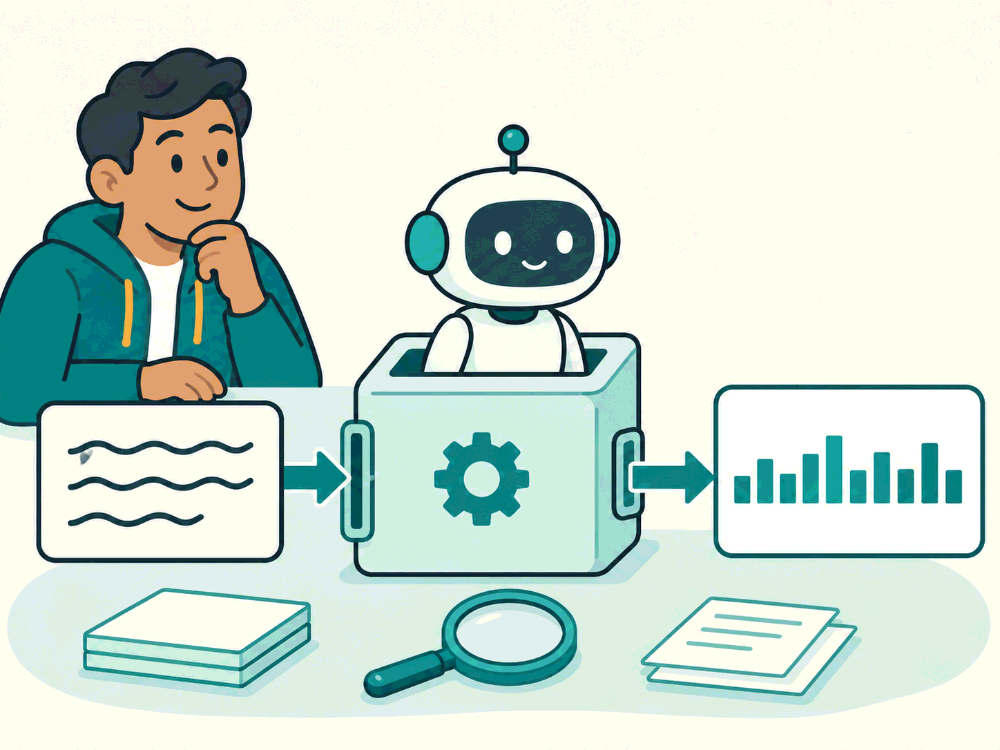
Turn the question into numbers
The question goes through an embedding model and becomes a list of 384 numbers that capture its meaning.
 2
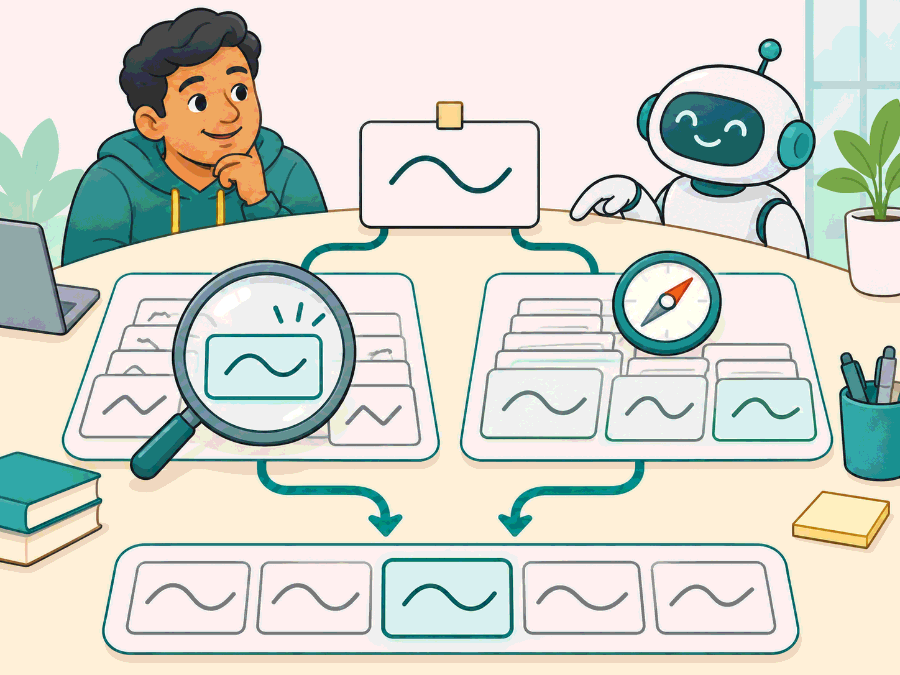
Search your documents
Keyword search finds pieces with the same words, like E4012. Vector search finds pieces with a similar meaning. The two lists are merged.
 3
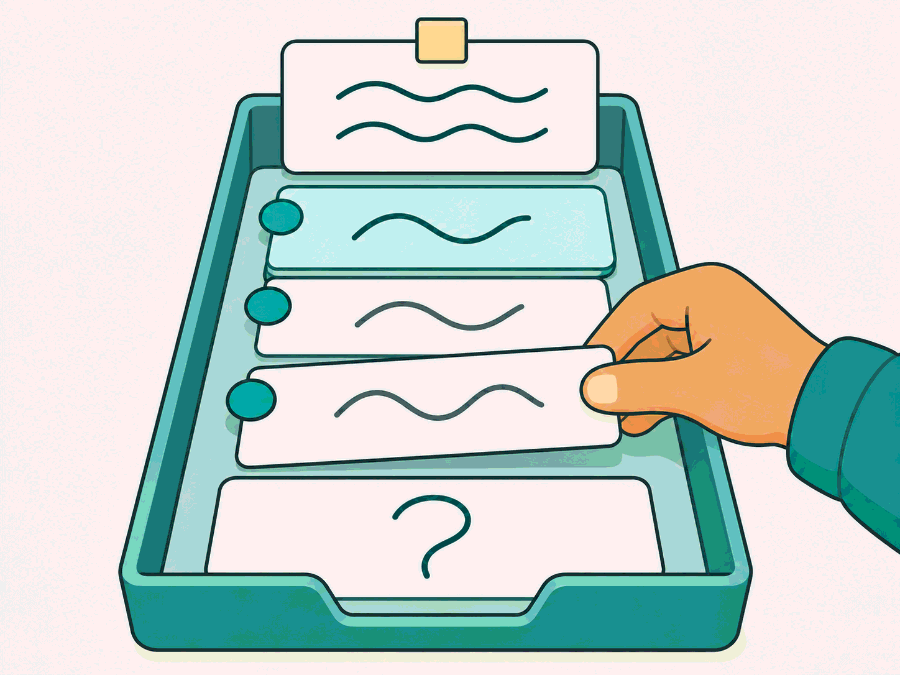
Pack the prompt
The best three pieces are numbered as sources, under a short instruction, with the question at the end.
 4
The model answers and cites
It writes the answer from the sources only, with [1] or [2] next to each fact, or says it does not know.
In detail
Follow one real question from the Mini RAG Lab, "What does error E4012 mean on the FiberBox?":
- Embed the question. The question goes through the same embedding model as the chunks, with the model's query prefix, and becomes a vector of 384 numbers.
- Search. BM25 finds chunks that share words such as E4012; vector search finds chunks with a similar meaning. The two lists are merged by rank.
- Pack the prompt. The top 3 chunks are numbered as sources and placed under a short instruction, with the question last.
- Generate. The model writes an answer that cites [1] or [2], or says it does not know.
- Return. The answer goes back with its sources, so the user can check the line it came from.
Try it · what the model actually sees
Loading 34 chunks…
The code
Try it in Python
def answer(question: str) -> dict:
    q_vec = embed(QUERY_PREFIX + question)            # 1. same model as the chunks
    hits = rrf(bm25.search(question), vectors.search(q_vec))[:3]   # 2. hybrid search
    prompt = build_prompt(question, hits)              # 3. numbered sources + question
    text = llm(prompt)                                 # 4. answer with [1], [2] citations
    log(question=question, hits=[h.id for h in hits], prompt_tokens=count(prompt), answer=text)
    return {"answer": text, "sources": [h.source for h in hits]}   # 5. return with sources
See it
What we measured
Measured · time and size per request
Mini RAG Lab logic on an Apple M4 laptop in Node: 34 chunks (recursive 512), bge-small-en-v1.5 q8, 47 golden questions.
Measured 2026-11-03. Search is fast because the index is tiny; it grows with the corpus, which is what vector databases are for. Not measured yet. Planned: model call latency with a real key.
Try it on a real example
Follow one real question: “What does error E4012 mean on the FiberBox?”
The error table is found, in second place. Both keyword and vector search ranked it second.
Choosing
Use it when, avoid it when
- Questions over documents that the model has not seen
- Any answer that must show where it came from
- Tasks with no documents behind them, such as brainstorming
- Questions that need a calculation over all records: use a database query instead
What it costs · Per request: one small embedding, a search and one model call. The model call dominates both cost and latency.
In production
Log every step of every request: the question, the chunk ids retrieved with their scores, the final prompt size and the answer with its citations. When a user reports a bad answer, these logs tell you in a minute which step failed. Without them you can only guess, and guessing usually blames the model.
Retrieval is cheap; generation is the slow and costly step. Spend effort on getting the right 3 chunks rather than sending 20 and hoping.
Watch out
Common mistakes
- RAG is one search call. It is five steps, and each one can fail on its own.
- The model searches the documents. Your code searches; the model only sees what you put in the prompt.
- More chunks give better answers. They add cost and can push the right passage into the middle where it is used less.
Check yourself
Remember this
Remember these
- RAG is retrieve first, then generate from what was retrieved.
- The question must use the same embedding model as the documents.
- Search returns pieces (chunks), not whole documents.
- The prompt asks for citations, so every answer can be checked.
What our numbers can and cannot show. Every measurement in this course runs on one small test set: 25 Polder documents cut into 34 chunks, and 47 questions with a known answer. A hit means a retrieved chunk contains the answer text. Many questions reuse the documents' own words, which helps keyword search, and only 2 need more than one document. On a set this small, several methods often tie, so a tie here does not mean they tie on your data. Treat the numbers as a worked example of how to measure, then measure on your own documents.
Say it in an interview
- 01RAG retrieves passages first, then generates an answer from them with citations.
- 02A request is: embed the question, search, pack the prompt, generate, return with sources.
- 03The question must use the same embedding model as the chunks, or the vectors do not match.
- 04On my laptop, embedding took 2.9 ms and search 0.03 ms; the model call dominates.
- 05I log chunk ids and scores per request so I can tell retrieval misses from model errors.
Quick quiz