Chapter 4 · concept 1 of 6 · show all
2Tokens, cost and your first RAG
4Chunking
- 4.1Why we chunk, and the main chunking strategies
- 4.2Structure aware chunking and tables
- 4.3Chunk size, overlap and token based sizing
- 4.4Contextual chunking and late chunking
- 4.5Parent child and multi representation indexing
- 4.6Chunk metadata, provenance and the chunking debugging playbook
- Chapter overview
7Finding the right chunks
8When retrieval fails
Why we chunk, and the main chunking strategies
Why documents are cut into pieces before search, and how fixed, recursive and heading-based splitting differ on the same corpus.
A real question
Why not search whole documents? Why cut them into pieces at all?
Because the embedding model only reads the start of a long text, one vector cannot stand for many topics, and the model would have to read the whole file to answer one line.

The problem
Why this matters

Embed each document as one unit. Nothing gets cut, so nothing gets lost.

The embedding model still cuts: it reads only the first 512 tokens. In our 1,922 token FiberBox manual, everything after that is never embedded.
Why not the simpler way
The simple way is to embed each document as one unit. It is less code and nothing gets cut. It breaks in three places: an embedding model reads only a limited number of tokens, so a long manual is represented by its first pages; one vector has to stand for many topics at once; and the prompt has to carry the whole document to answer one line of it.
The idea
The idea in plain words
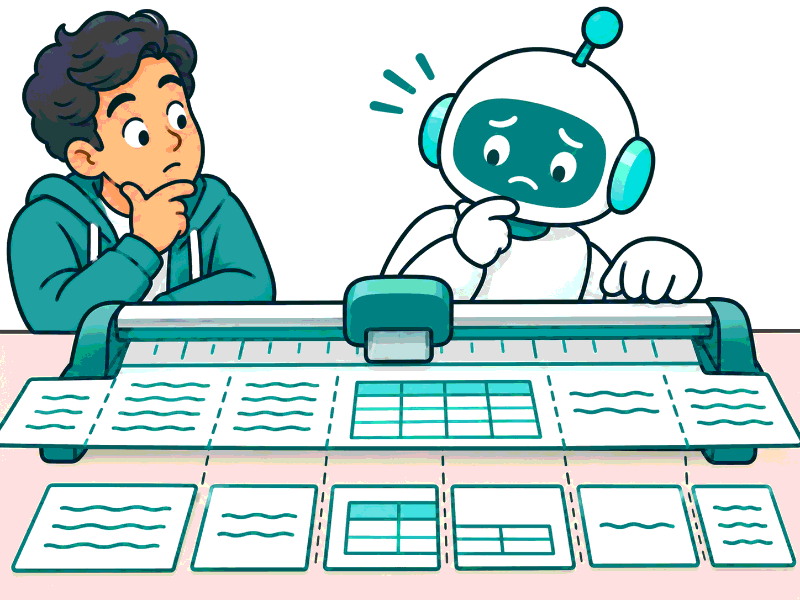
A chunk is the piece of text that search can return and the model can quote. Chunking is choosing where to cut. A good cut keeps one idea together; a bad cut splits the answer in half, so no single piece matches the question well.
It is like cutting a long recipe book into cards. One card per recipe is useful. Cutting every 20 lines puts half of one recipe and half of the next on the same card.
How it works
Step by step
 1
Fixed window
Cut every N tokens, wherever that lands. Simple, but it can cut a sentence or a table in half.
 2
Recursive
Try the biggest natural break first (blank lines), then lines, then sentences, until every piece fits.
 3
By headings
Follow the document's own sections, and split a section further only when it is too long.
In detail
There are three main families. A fixed window cuts every N tokens, wherever that lands. Recursive splitting tries the biggest natural break first (blank lines between paragraphs), then lines, then sentences, until each piece fits the size limit. Structure-aware splitting follows the document's own headings, so each section becomes one chunk, and only sections that are too long are split further.
A fourth family is semantic splitting: embed every sentence, and cut where the meaning shifts, that is, where one sentence is far from the next in embedding space. It sounds like the smartest option, but it needs one embedding per sentence just to decide the cuts, and the chunks come out very uneven in size. On our corpus it found fewer answers than recursive 512 (see My numbers).
Size and overlap are the next decisions; they get their own page (RAG-15). Newer ideas such as adding document context to each chunk, or embedding the whole document first and splitting the vectors later, come in RAG-16.
Try it · cut one real document
Loading chunks…
The code
Try it in Python
import re

def recursive_split(text: str, max_tokens: int, count, seps=("\n\n", "\n", ". ", " ")) -> list[str]:
    """Split at the largest natural break that makes every piece fit."""
    if count(text) <= max_tokens:
        return [text]
    sep, *rest = seps
    parts, out, buf = text.split(sep), [], ""
    for p in parts:
        joined = f"{buf}{sep}{p}" if buf else p
        if count(joined) <= max_tokens:
            buf = joined
        else:
            if buf:
                out.append(buf)
            buf = p if count(p) <= max_tokens else ""
            if not buf:  # this piece alone is too big: split it at the next smaller break
                out.extend(recursive_split(p, max_tokens, count, tuple(rest)) if rest else [p])
    return out + ([buf] if buf else [])

def semantic_split(sentences: list[str], embed, pct: float = 95) -> list[str]:
    """Cut where the next sentence is far from this one in meaning (needs one embedding per sentence)."""
    import numpy as np
    v = np.array(embed(sentences))                      # normalised vectors
    dist = 1 - (v[:-1] * v[1:]).sum(axis=1)             # distance to the next sentence
    cut = np.percentile(dist, pct)
    chunks, buf = [], [sentences[0]]
    for s, d in zip(sentences[1:], dist):
        if d > cut:
            chunks.append(" ".join(buf)); buf = []
        buf.append(s)
    return chunks + [" ".join(buf)]

def split_by_headings(md: str) -> list[str]:
    return [s for s in re.split(r"(?m)^(?=#{1,6} )", md) if s.strip()]
See it
What we measured
Measured · evidence recall@3
25 Polder documents, 47 golden questions, bge-small-en-v1.5 vectors, vector search only, 512 token limit. A hit means a top 3 unit holds the whole answer passage.
Measured 2026-11-03 (precompute report); the whole-document row re-measured 2026-11-04 with a reproducible script, which gave 43 of 47 where an earlier one-off run had given 42. Three documents are longer than the 512 token input of the embedding model. Splitting by headings found one answer fewer than whole documents here because many sections are short, which gives 91 small chunks that compete for the top 3. Semantic rows measured 2026-11-04 (corpus/scripts/measure-semantic.mts): each sentence embedded with one neighbour on each side, a cut where the distance to the next sentence is above the document's 90th or 95th percentile, and also at the 512 token limit. It took 544 sentence embeddings to place the cuts. The 80th percentile gave 112 chunks and 40 of 47. One corpus and one embedding model, so treat this as a result for these documents, not a law.
Try it on a real example
A customer asks: “Should I reset the router when the power light is solid red?”
FiberBox manual · 1,922 tokens
The answer is in the file, but not in its vector. Search has nothing that points to it.
Choosing
Use it when, avoid it when
- Recursive splitting as the default for prose
- Splitting by headings for manuals and policies with clear sections, then recursive inside long sections
- Whole documents as one vector: the model reads only the start, and the prompt carries everything
- A fixed window on tables and code: it cuts rows and functions
- Semantic splitting as a default without measuring: here it found fewer answers and needed an embedding per sentence
What it costs · More chunks mean more vectors to store and embed. Here: 25 whole documents, 34 to 35 chunks at 512 tokens, 91 chunks when split by headings.
In production
Look at your documents before choosing. Manuals, policies and handbooks with clear headings suit structure-aware splitting. Chat logs and transcripts have no headings, so recursive splitting by turns or sentences fits better. Keep the source, section path and position with each chunk; you need them for citations and for updates.
Then measure. A golden set with the exact answer passage per question shows which cuts lose answers, and the Chunk Lab shows whether each miss was a split or a ranking problem.
Watch out
Common mistakes
- No chunking is safest because nothing is cut. The embedding model still cuts: it ignores everything after its input limit.
- Structure-aware splitting always wins. On this corpus it found one answer fewer than whole documents, because short sections made many small chunks.
- Semantic chunking is the advanced, better choice. Here it found 41 of 47 at best, against 44 for recursive 512, and cost 544 extra embeddings.
- Chunking is a one-time setup. Every new document type is a reason to measure again.
Check yourself
Remember this
Remember these
- A chunk is the piece that search can return and the model can quote.
- Three main families: fixed window, recursive, and by headings. Semantic splitting is a fourth, and it did worse here.
- Whole documents found 43 of 47 answers here; recursive 512 chunks found 44.
- Pick the strategy per document type, then measure.
Say it in an interview
- 01Chunks are what search can return and the model can cite, so the cuts cap quality.
- 02Three families: fixed window, recursive by natural breaks, and structure by headings.
- 03On my corpus recursive 512 reached 0.936 evidence recall against 0.915 for whole documents.
- 04Whole documents fail quietly: the embedder reads only the first 512 tokens.
- 05Semantic chunking scored 41 of 47 against 44 for recursive here, so I measure it before I trust it.
- 06I pick the strategy per document type and check misses for splits in a chunk lab.
Quick quiz